


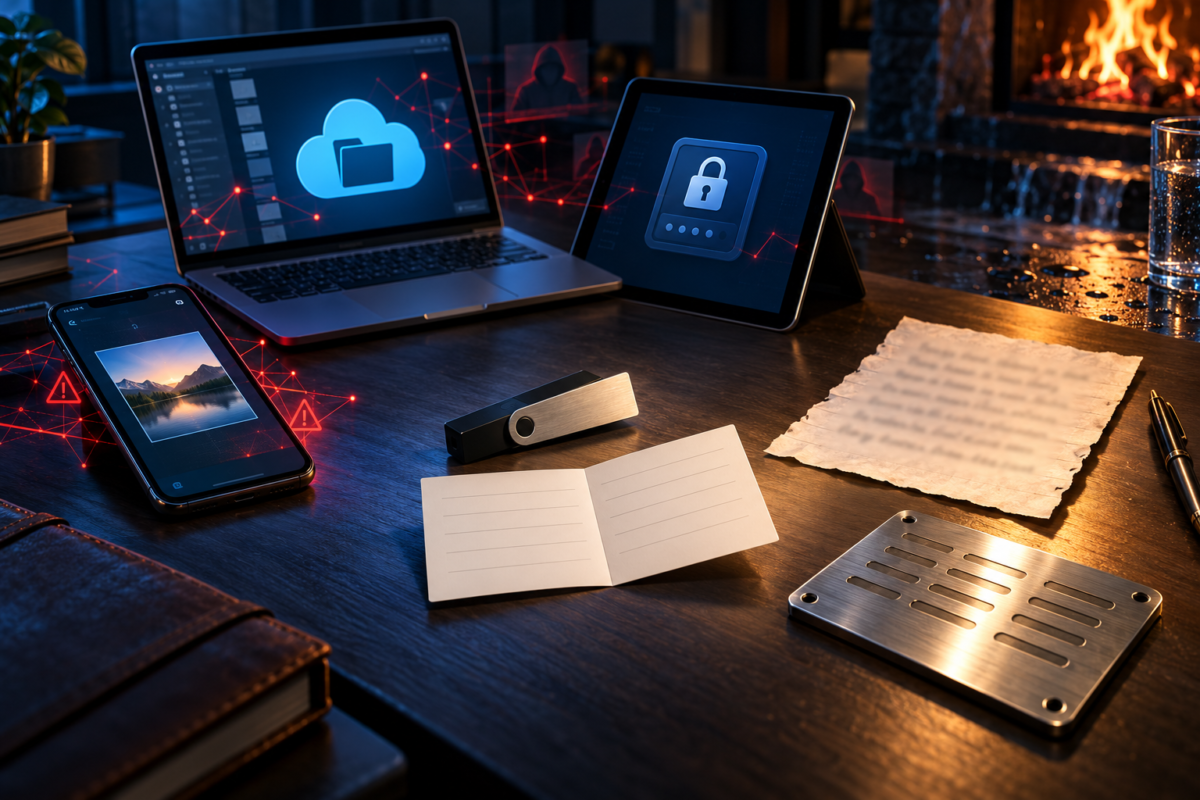
A seed phrase is easy to underestimate. It may look like an ordinary list of 12 or 24 words, but it can restore access to every cryptocurrency account connected to a wallet. If someone else obtains it, they may be able to recreate the wallet and move its funds without knowing the original password or possessing the original device.
That makes one question surprisingly difficult: Where should those words be kept?
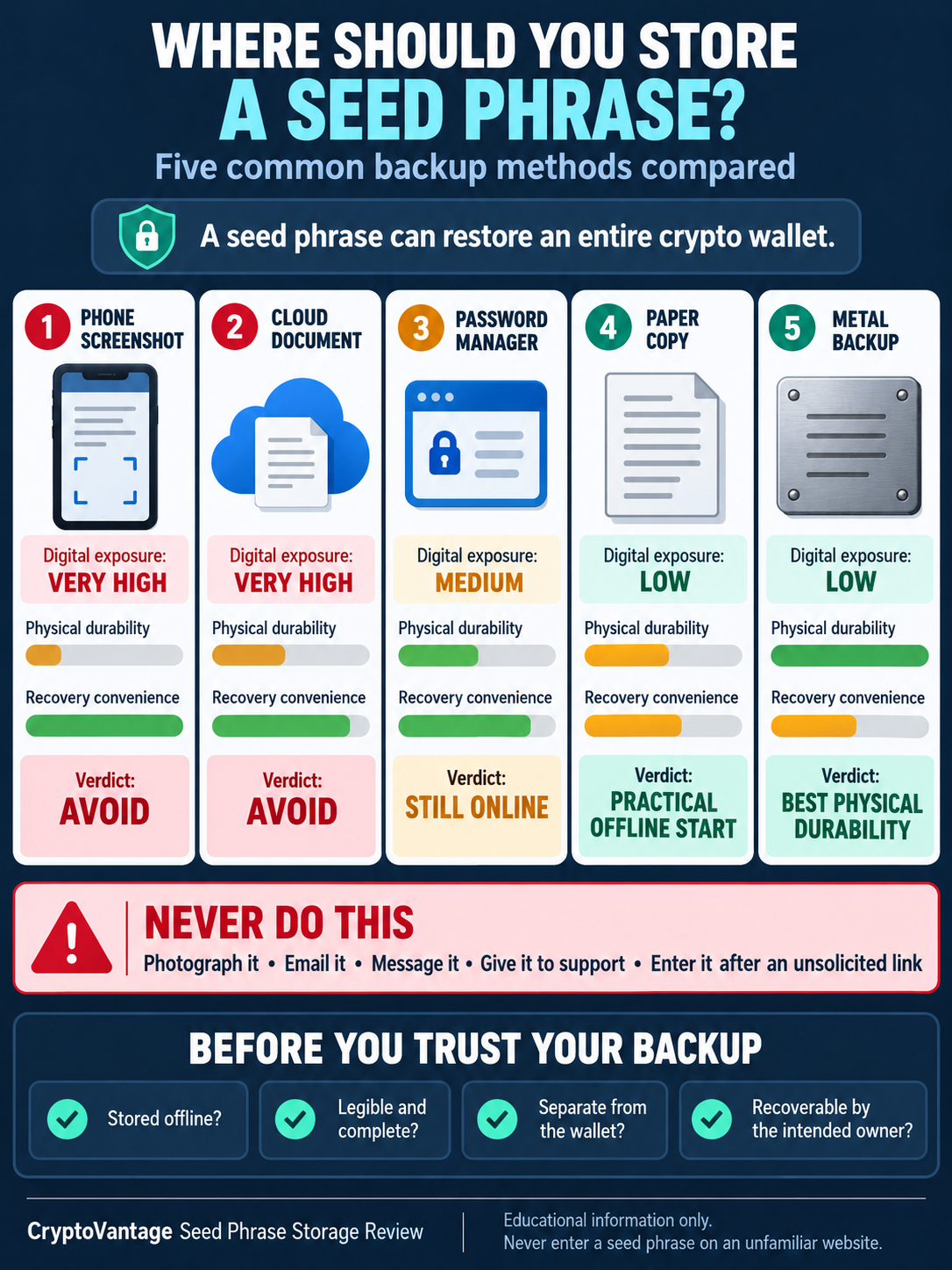
CryptoVantage compared five storage methods commonly used by cryptocurrency owners. Each was assessed against realistic problems, including device theft, cloud-account compromise, fire, water damage, accidental deletion and simple human forgetfulness.
There isn’t one perfect answer for everyone. Still, some methods introduce considerably more risk than others.
What a Seed Phrase Actually Does
Cryptocurrency isn’t stored inside a phone, browser extension or hardware wallet. The assets remain recorded on a blockchain. The wallet controls the private keys needed to authorize transactions.
A recovery phrase provides a human-readable way to recreate those keys. It can allow someone to restore a compatible wallet after losing a phone, damaging a hardware device or deleting an application.
That recovery power is also what makes the phrase dangerous. A wallet password normally protects one application or device. The seed phrase can bypass that local protection by rebuilding the wallet somewhere else.
Legitimate support teams should never need it. A caller, email or website asking for all 12 or 24 words is not performing a routine account check.
Here is how five familiar storage methods hold up.
1. A Screenshot on the Phone
Taking a screenshot feels convenient. It’s fast, legible and likely to be available when the wallet owner needs it. Unfortunately, it turns an offline recovery secret into an ordinary image file.
That screenshot may be uploaded automatically to Apple iCloud, Google Photos or another backup service. Photo applications can index text inside images, while other installed applications may have permission to access the device’s media library. Anyone who compromises the cloud account could potentially find the image without ever touching the phone.
A screenshot can also appear in unexpected places. It may transfer to a new device, remain in a deleted-items folder or become part of a full phone backup. Sending it through email or a messaging application creates additional copies.
Phone encryption and biometric locks offer meaningful protection, but they don’t change the basic problem. The recovery phrase is now exposed to every system involved in storing, synchronizing and backing up the image.
Verdict: Convenient, but unnecessarily exposed. A seed-phrase screenshot should not be treated as a secure backup.
2. A Document in Cloud Storage
Some owners type their phrase into a text file and save it in Google Drive, Microsoft OneDrive, Dropbox or iCloud Drive. The reasoning is understandable. Cloud services are designed to keep files available when a computer is lost or damaged.
Availability, though, is only half of the backup problem.
A cloud account can be compromised through password reuse, session-cookie theft, phishing or a poorly secured recovery email address. A shared-folder mistake can also expose a document without the owner realizing it.
Modern cloud providers use encryption and sophisticated account-security systems. Those protections are useful, but the wallet owner is still placing the phrase inside an online account that can be accessed remotely.
This matters as attacks become more automated. Computing.net has previously reported on AI-powered cybersecurity threats targeting cryptocurrency wallets, including the falling cost of producing convincing phishing content and finding vulnerable users.
Giving the file an innocent name doesn’t solve the problem. Attackers can search compromised storage for words such as “wallet,” “backup,” “Bitcoin,” “MetaMask” and “recovery.” Even a less obvious filename may be discovered by someone examining recently opened documents or file contents.
Verdict: Better protected than a public document, but still remotely accessible. Ordinary cloud storage creates a large attack surface for such a powerful secret.
3. An Encrypted Password Manager
This is the most complicated option in the comparison.
Products such as 1Password, Bitwarden and KeePass are specifically designed to protect sensitive information. They can generate strong passwords, encrypt stored data and reduce password reuse. A well-secured vault is clearly safer than an unencrypted note sitting on a desktop.
It still changes the security model of a seed phrase.
If the phrase is stored in a cloud-synchronized password manager, it can potentially be reached through the vault password, an unlocked device, a compromised browser session or weaknesses in the owner’s account-recovery process. The wallet backup and everyday login credentials may also become concentrated in one place.
KeePass can work differently because its encrypted database may be stored locally rather than synchronized through a company’s cloud service. Yet the user then needs to protect the database file, remember its master password and maintain a reliable backup. Losing either the file or its password defeats the purpose.
Hardware-wallet manufacturers often advise owners to keep recovery phrases completely offline. Ledger’s official instructions say not to photograph or digitize its recovery sheet and recommend storing it separately from the device.
A password manager is excellent for exchange passwords and unique logins. Using one for a wallet’s master recovery secret is a separate decision with much larger consequences.
Verdict: Encrypted and more defensible than an ordinary digital file, but it brings an offline secret into an environment that may be remotely attacked. It shouldn’t be treated as equivalent to a physical backup.
4. A Handwritten Paper Copy
Paper remains one of the most common seed-phrase backups for a reason. It’s inexpensive, easy to create and completely offline.
There’s no software to update. It can’t be reached through a phishing email or exposed by a cloud breach. If the words are written down directly from a hardware wallet’s screen, they never need to pass through a phone or computer.
Paper has weaknesses of its own. Ink can fade or run. Fire, flooding, humidity and household accidents can make the words unreadable. A piece of paper can also be thrown away by someone who doesn’t understand what it represents.
Where the paper is stored matters as much as the paper itself. Keeping the recovery sheet beside the hardware wallet means a burglar or fire may take both at once. Writing “Bitcoin wallet” across the envelope isn’t exactly ideal either.
The words must be recorded clearly, in the correct order, and checked during setup. An unreadable letter or missing word could remain unnoticed for years, only becoming apparent when recovery is urgently needed.
CryptoVantage’s guide to storing a crypto wallet backup examines the practical differences between paper and more durable physical media. It also raises an important point that beginners sometimes miss: the backup needs to be understandable to the owner or a trusted heir when it is eventually required.
Verdict: Simple and offline, but vulnerable to physical damage, theft and accidental disposal. Paper works best when its location and condition are reviewed periodically.
5. A Metal Recovery Backup
Metal backups are designed to address paper’s biggest weakness: durability.
Products from companies such as Cryptosteel, Billfodl and Blockplate let owners stamp, punch or arrange recovery information on stainless steel or another heat-resistant material. Different products offer different levels of resistance to fire, water, corrosion and physical impact.
This doesn’t make metal automatically secure. A steel plate can still be stolen, photographed or discovered by someone with access to the property. It can also be set up incorrectly. Some products record only the first four letters of each BIP39 word because those letters are sufficient to distinguish words on the standard list, but the owner needs to understand that system before relying on it.
Metal backups also cost more than paper and attract attention if left in an obvious place. A plate covered in seed words doesn’t need a helpful label to reveal that it protects something valuable.
Still, a properly prepared metal backup can provide stronger protection against fires, flooding and long-term deterioration. That makes it particularly relevant for someone holding substantial assets over many years.
Verdict: The strongest option in this comparison for physical durability, but it still needs protection against theft and unauthorized viewing.
The Location Matters More Than the Material
The choice isn’t simply paper versus steel. Two excellent physical backups stored in the same desk drawer share the same point of failure.
Keeping the hardware wallet and recovery phrase together is also risky. The phrase exists partly to restore access when the device is lost or destroyed, so storing both in the same place can defeat that protection.
A home safe may reduce the risk of casual theft, although its fire and water ratings should be checked rather than assumed. A bank safe-deposit box introduces a different set of considerations, including access rules, fees and what happens if the owner dies or becomes incapacitated.
Splitting a seed phrase into improvised fragments can create trouble too. Hiding half the words in one place and half somewhere else sounds clever, but losing either part may make recovery impossible. More advanced arrangements, including multisignature wallets and standardized secret-sharing systems, should be set up only by people who understand how they will be restored.
Complicated security has a habit of locking out the owner.
A Backup Should Be Tested Without Exposing It
A seed phrase shouldn’t remain an unverified scribble for ten years.
Many hardware wallets confirm the words during initial setup. Some manufacturers also provide tools for checking a recovery phrase directly on the trusted device. Owners should follow instructions supplied by the wallet manufacturer and avoid typing the phrase into a random website, browser extension or computer application.
Downloading wallet software deserves the same caution. Crypto projects depend on websites, browser extensions, software repositories and third-party infrastructure. Computing.net’s coverage of a security incident affecting Web3 infrastructure illustrates why users should verify official sources instead of trusting a sponsored search result or unsolicited download link.
A safe rehearsal can begin with a newly created wallet holding little or no value. The owner can document the recovery steps, confirm that the backup was recorded accurately and learn how restoration works before depending on the arrangement for a meaningful balance.
Never experiment casually with the seed phrase of a funded wallet.
What Should Beginners Choose?
For most beginners using self-custody, a clearly written paper copy stored offline in a private, physically protected location is a reasonable starting point. A metal backup becomes more attractive when durability, long-term storage or the amount being protected justifies the additional expense.
The weakest choices are usually the easiest ones: a screenshot, an email draft or an ordinary cloud document.
A password manager sits somewhere in the middle. It may provide strong encryption, but it also makes the phrase digitally accessible. Users choosing that approach should recognize the change in risk rather than assuming that all encrypted storage is automatically safe.
Whatever method is selected, the owner should be able to answer four questions:
- Can someone access this backup remotely?
- Could fire, water or theft destroy both the wallet and its backup?
- Has the phrase been recorded accurately?
- Could the intended owner or heir recover the wallet years from now?
Self-custody means removing dependence on an exchange or other custodian. It doesn’t remove risk. It transfers the responsibility for managing that risk to the owner.
A Seed Phrase Is the Wallet’s Last Line of Recovery
A phone can be replaced. A hardware wallet can stop working. A browser extension can disappear, and a wallet provider can shut down.
A correctly protected seed phrase can still restore access after those events. A poorly protected one can give an attacker everything they need.
The best backup method isn’t necessarily the most expensive or technical. It is one that remains private, survives foreseeable damage and can still be understood when recovery is needed. For many people, that means keeping the phrase offline, storing it separately from the wallet and resisting the urge to make a convenient digital copy.
Convenience matters. Just not more than the keys.
About the Author
CryptoVantage is a cryptocurrency publication providing educational guides, news, analysis, and reviews covering Bitcoin, blockchain, exchanges, wallets, fintech, and digital assets. Its team of writers, researchers, and cryptocurrency specialists creates accessible content for both newcomers and experienced crypto users, helping readers better understand the rapidly evolving digital-asset industry.
